Your audience can do more than watch
Attendees can raise a hand, speak in their own voice, and be part of the event they came for. You decide how far that goes, one event at a time.
A five-step scale, and the host picks how far it goes
The same audience doesn't take part in the same way. Some people will only ever tap a reaction. Some will type a question they would never ask out loud. A few want to say it themselves, in their own voice, and hear an answer back.
Videosync treats that as a scale rather than a single feature, and the host decides how far along it any given event goes:
React
A tap, no words needed.
Ask in writing
A question typed from the viewing page, with a name on it or anonymously.
Vote
An answer that becomes a result everyone can see.
Speak
A raised hand, then a microphone, and the audience member's own voice in the conversation.
Appear
A camera as well as a voice, for the moments that call for a face.
Every step is optional. A results webcast might stop at written questions. A town hall might open the microphone to anyone who asks. Nothing about the scale is automatic, and nobody reaches a step you haven't opened.
One button, and your voice is in the conversation
An attendee who wants to speak says so from the page they're already watching on. There's a button on the viewing page. No separate app, no second link, no download, on desktop or on a phone. Most of the time this is about voice, not video. The attendee is heard, not seen, which is exactly what a question usually needs.
The attendee stays in control of their own microphone
Raising a hand isn't the same as being switched on. When the host brings someone forward, that person gets permission to open their microphone and opens it themselves. Nothing about their audio goes out before they choose to speak.
Or by phone, into the same queue
A phone participant raises a hand from their keypad and lands in the same queue as everyone in a browser, managed from one place instead of two. How phone bridging works →
Nobody has to guess how it works. The event page can show participation details alongside the stream: how to ask a question, how to raise a hand, how to open a microphone once it's your turn, and the attendee's own dial-in number if they'd rather call in.
For the moments that call for a face, not just a voice
Getting on camera brings a Videosync audience member into the broadcast itself, on video as well as voice, for the moments a voice alone isn't enough. A customer telling their own story, a colleague accepting an award, an expert brought up from the audience to answer something properly: those moments land differently when the person is on screen.
This is the exception rather than the rule, and it works that way by design. Most raised hands are answered with a microphone alone. Getting an audience member on camera is a separate step that the host chooses deliberately, for the one or two moments in an event that earn it.
What it looks like from the audience member's side
They're already watching in a browser, so there's nothing new to install. They accept the invitation, allow camera and microphone access, and open their own microphone when they're ready. They see themselves before anyone else does.
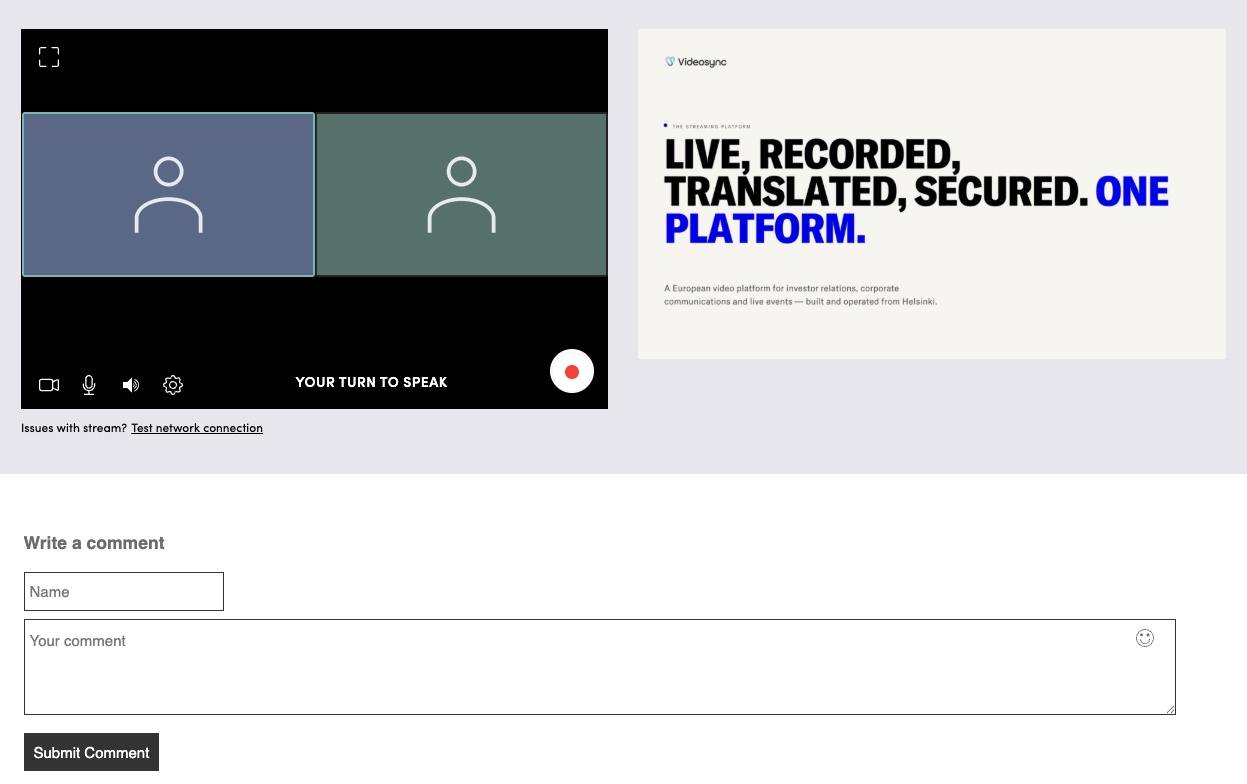
What everyone else sees
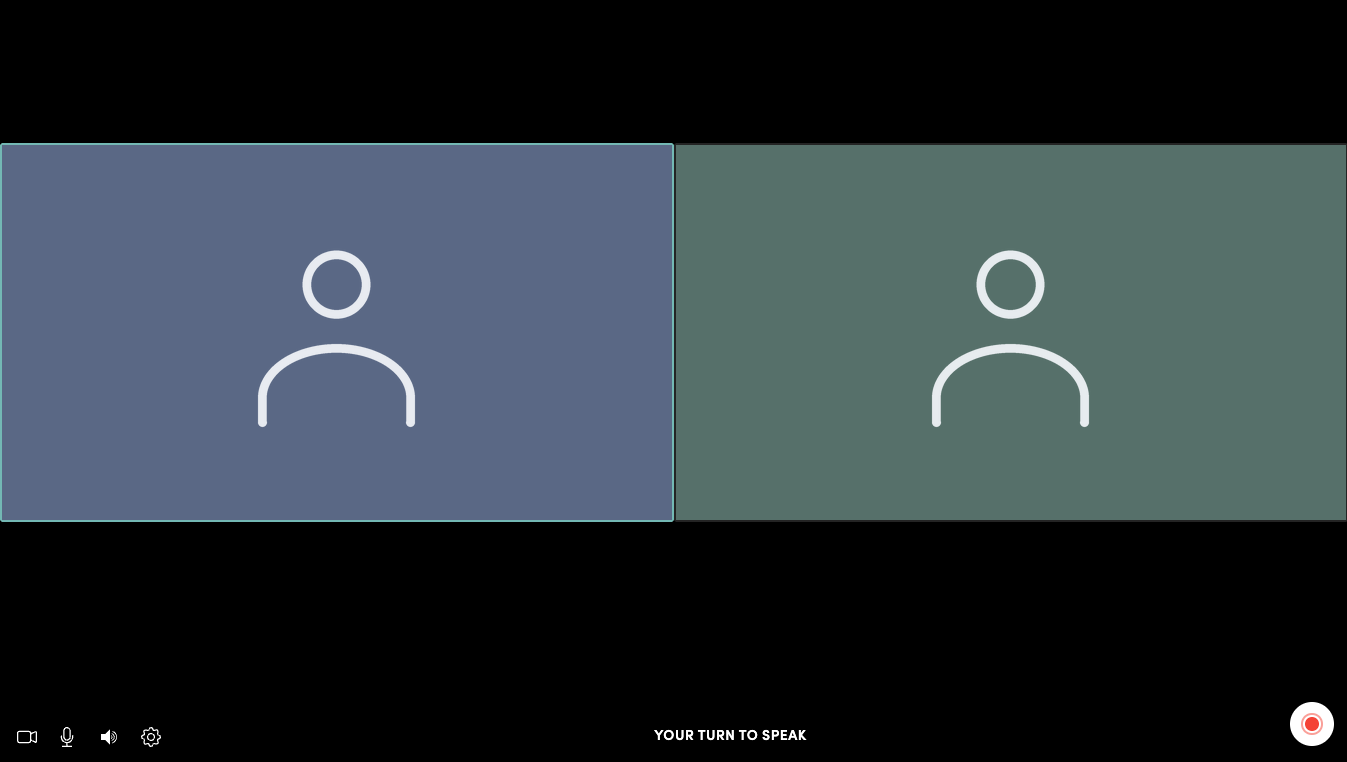
The audience member appears alongside the speakers, in the same layout, in the same picture. Not a window bolted onto the side of a broadcast: part of the event, for as long as the host keeps them there.
Opening the room doesn't mean losing it
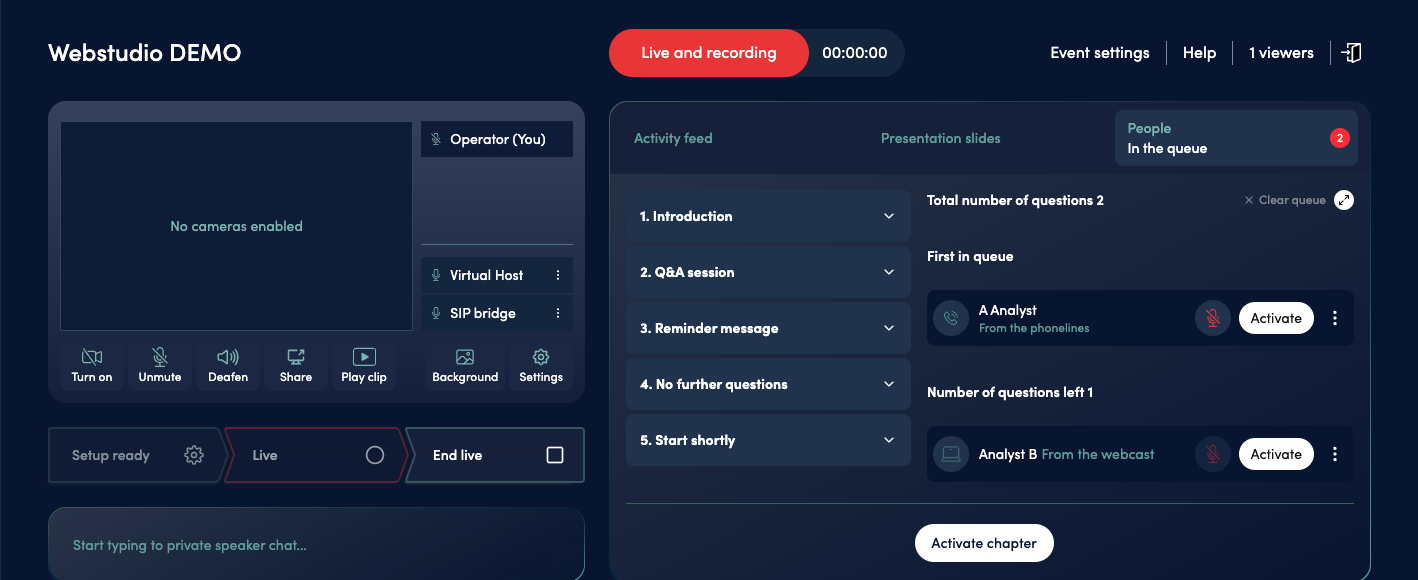
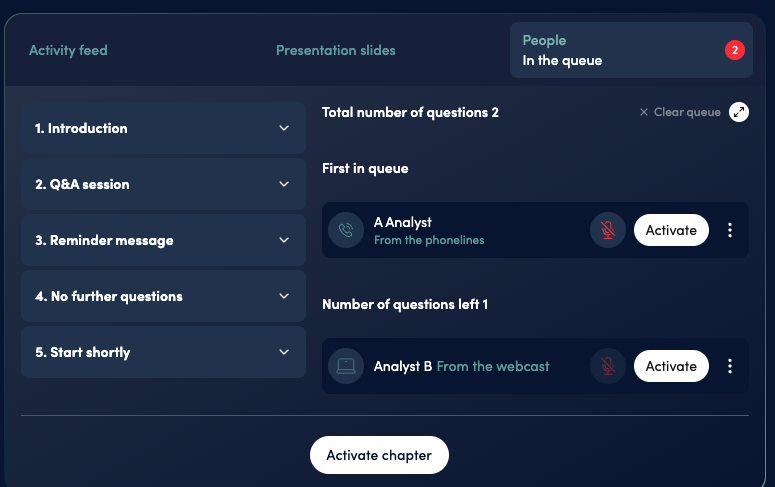
Every raised hand becomes a line, not a free-for-all. The host sees who's waiting, in what order, and how each person joined: from a browser or over the phone line. Browser and phone participants sit in the same queue, marked so you can tell them apart at a glance, rather than in two systems that have to be reconciled live.
The queue is managed while the event runs, not afterwards:
Choose who's next
Move someone to the front, or pin a name so it doesn't get buried under later hands.
Take a step back
Lower a single hand, or clear the whole queue at once when a segment is over.
Handle the room
Flag a participant, or fix a name that came in wrong before it's read out.
And because registration records how each person chose to attend, the reporting afterwards shows who took part and in what way, not just how many people were connected. Where dialling in is still the norm, this is often the whole point. See how this works for investor events →
The same clear introduction, first question or fiftieth
Before an audience member speaks, Videosync's AI voice announces who they are: their name and their organization, in the same form every time. The host doesn't have to read a list, mispronounce a name, or lose the thread of the session while finding out who's next.
For anyone listening later, it also means the recording has a clear marker before every question, so it's obvious who asked what. The announcement can be switched off or run in another language, and the host can play a short spoken announcement of their own from the same panel when something needs saying between questions.
Most of the audience will never raise a hand, and that's fine
The lighter end of the scale carries most of the participation in most events. It runs in the same room, in real time, on the same viewing page.
Q&A takes written questions, moderated before they surface, with a name attached or anonymously, and marks each one answered as the host works through them. Explore Q&A →
Polling runs single and multiple choice votes, word clouds and rating scales, with results the audience sees update as they come in. Explore Polls & Voting →
Chat runs a moderated conversation alongside the stream, with messages screened before or after they post and spam filtered automatically. Explore Live Chat →
Reactions put a tap on screen that says something without interrupting anyone speaking. Explore Reactions →
Split the audience up, then bring everyone back
Videosync breakout rooms divide the audience into smaller groups for a focused discussion, a working session or a workshop exercise, the kind of conversation that doesn't happen in front of five hundred people. People talk to each other instead of listening to a stage.
When the time's up, everyone returns to the main stage and the event carries on as one room. Same event, same link, same platform: the audience doesn't move anywhere or join anything new.
See how this fits the rest of the event →A hybrid event has two audiences, and only one of them is at home
A hybrid event splits its audience between a room and a screen, and the people physically in the room are usually the ones left out of the interactive part. The polls run for remote attendees, the questions come in from home, and the people in the room just watch it happen.
Videosync gives them their own way in. A short link or a QR code on screen opens a participation page on their own phone, with no app to install, where they can vote in the same polls and submit questions to the same moderation queue as everyone joining remotely. Their answers count in the same results, and their questions reach the host in the same place.
For the people in the room, hands go up the way they always have, and a microphone in the venue does the rest. What the phone adds is everything else: the vote, the written question, the chance to say something without standing up.
Giving the audience a voice is not the same as giving up the room
This is the question that decides whether an organization dares to open the microphone at all, so it's worth answering plainly. Every step on the scale is something you switch on, and every one of them can stay off.
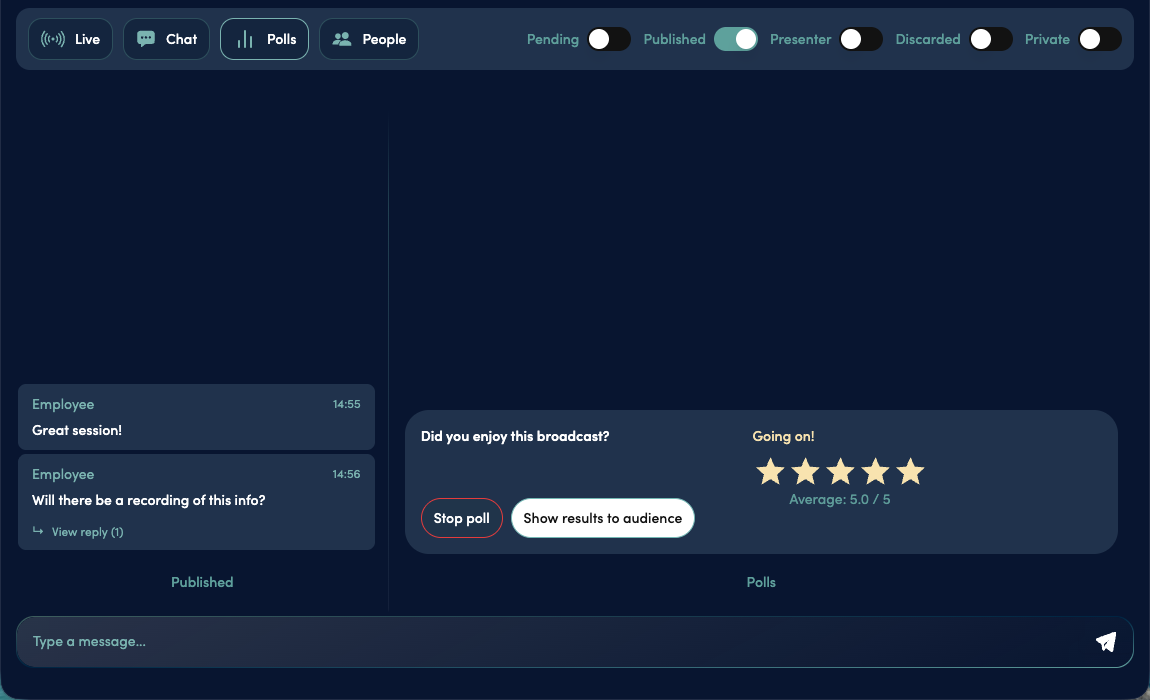
Nothing surfaces unseen. Written questions and chat messages can be reviewed before the audience or the speakers ever see them, by the host or by a moderator working from a separate, moderation-only link. Explore Chat →
Hand-raising is a setting, not a given. An event where the audience shouldn't speak simply doesn't have that step open.
Anonymity where it helps. Questions can be asked without a name attached, which is often how the most useful question in an internal event arrives. The moderation queue works the same either way.
Participation can be earned at sign-up. Registration decides who gets which kind of access, so speaking rights can be limited to the people the event is actually for, and the reporting afterwards reflects it. Explore Registration →
The same platform, the same rules. Access controls, EU data hosting and the documentation your IT team will ask for don't change because you opened the microphone. Explore Security & Compliance →
Questions people actually ask
Does an attendee need to install anything to speak?
No. Everything happens on the page they're already watching on, in a normal browser, on a computer, a tablet or a phone. Raising a hand, opening a microphone and appearing on camera all work from that same page.
Can someone take part from a phone?
In two different ways, and both end up in the same queue. Someone watching in a mobile browser raises a hand and speaks the same way a desktop viewer does. Someone who dials in on a phone line raises a hand from the keypad and is brought in by the host over the call.
What if an attendee's camera or microphone doesn't work?
The most common cause is browser permission, which the attendee can grant and then try again without leaving the event. If video is the problem, voice alone is usually enough, and that's how most audience questions are handled anyway. If nothing works, the same person can still ask in writing, or call in on the phone line and speak that way.
Is there a delay between the room and the stream?
When an event uses audience interactivity, no: Web Studio runs without that delay, so the room and the broadcast move together, and a raised hand, an opened microphone and the answer that follows all happen as one real-time conversation. Where the delay does show up is on an RTMP stream, or a Web Studio broadcast that isn't using hand-raising or on-air participation at all, which typically runs ten to fifteen seconds behind the room. That gap is normal there too: it's what delivers a stable picture to a large audience on very different connections, and it's simply switched off the moment interactivity is turned on.
Can we let people ask questions without letting them speak?
Yes, and that's the more common setup. Written questions, polls, chat and reactions are separate steps from hand-raising, and hand-raising can stay closed while the rest of them run.
Can hosts see who took part, and how?
Yes. Because attendees register and choose how they'll follow the event, the reporting afterwards shows who attended, how they joined, and how they took part, rather than a headcount alone.
Technical questions about the production side → · More about the player →
See what happens when the audience can answer back
Book a personalized demo and watch a hand go up, a microphone open, and a question get asked out loud.