Everything you need for professional virtual events
Stream, engage, brand, and analyze: all in one platform built for enterprise reliability.
How this actually works: no engineering degree required
Not every stream needs the same thing. A large town hall needs to reach everyone reliably, no matter their connection. A small, focused Q&A needs something different: near-instant back-and-forth, because a delay makes a real conversation impossible. Most platforms make you choose one architecture and live with its trade-offs everywhere. Videosync runs two engines under the hood, matched to the moment.
Reliable broadcast delivery
Built for reach and scale, fed via RTMP from professional production software. Supports multi-language streaming: more than one audio track at once, so viewers choose the language they want to listen in.
Browser-based, interactive engine
Powers Engage Audience: hand-raising, audience cameras, live moderation, in real time. Despite the name, it also accepts professional production feeds as a standard camera source, whenever true interactivity needs to run alongside a produced picture.
Bring your panel together, wherever they are
Presenters don't have to share a room, or even a country. Each speaker can join Web Studio through their own speaker link, straight from a browser, and appear together on screen as if they were side by side.
Presentations live on the platform too. No separate screen-share, no handing off a laptop mid-event. Slides live directly in Web Studio, and any speaker can advance them with shared controls: whoever's talking can drive.
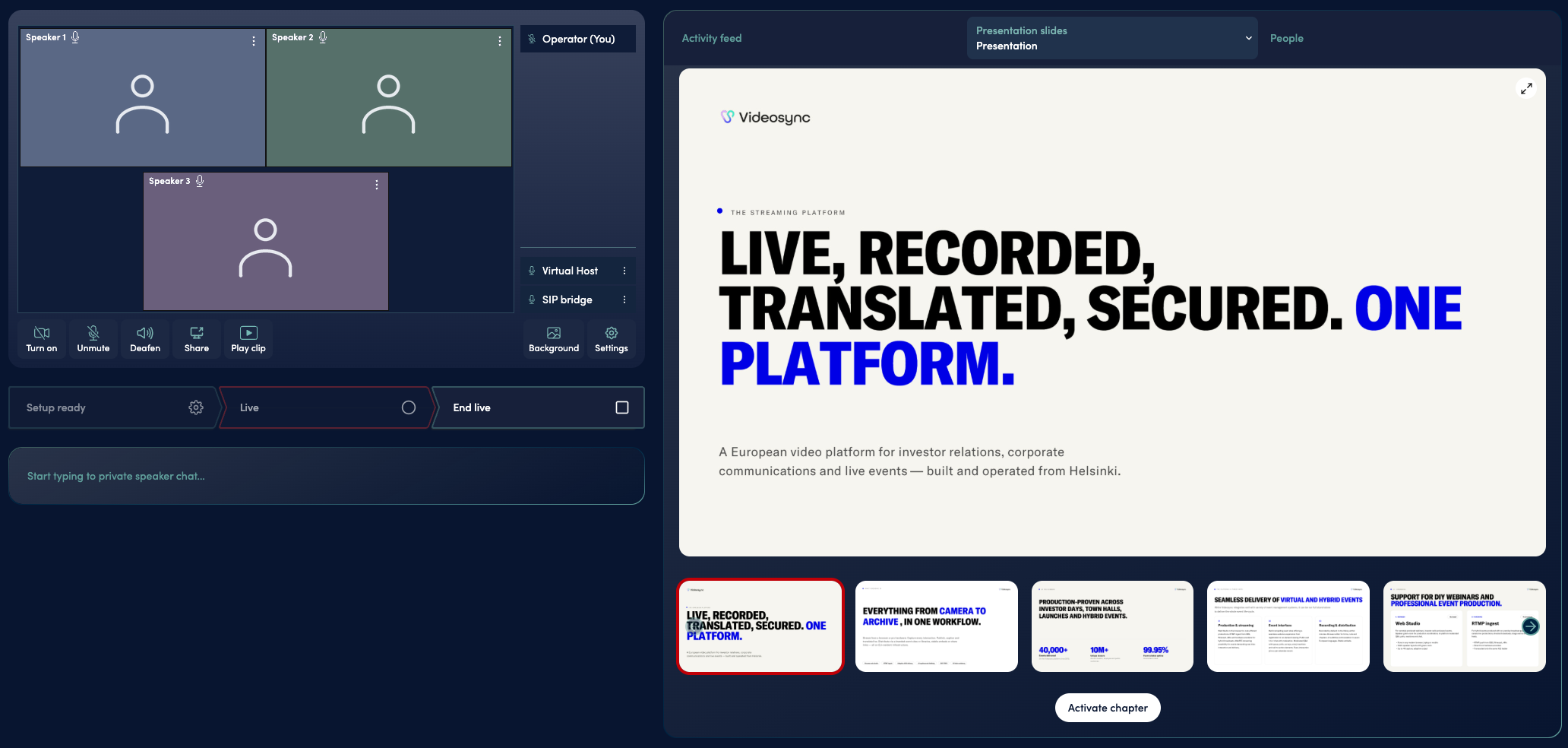
You don't need to choose. Videosync matches the right engine to your event format. Audiocasts and interactive sessions run on Web Studio by default.
Is Web Studio the same as Zoom or Teams?
No. Web Studio works well for internal communications too (town halls, all-hands, leadership broadcasts), but it’s built for structured, large-scale audience interaction, not as a replacement for everyday team meetings.
Can a professional production company use Videosync?
Yes. A production feed can go into either engine: Live Streaming via RTMP, or Web Studio as a standard camera source when interactivity needs to run alongside the produced picture.
What’s actually under the hood?
Live Streaming is our reliable broadcast delivery path, fed via RTMP from professional production software. Web Studio runs on WebRTC (the real-time transport built into every modern browser for two-way audio and video), which is what makes hand-raising, audience cameras and live moderation work as a conversation rather than a delayed broadcast. Both run in the browser: no plugins, no downloads.
Built for people who don't want to just watch
Most virtual event platforms give you a broadcast: a stream your audience watches, with a chat window bolted on the side. Videosync gives you a room your audience can actually join: real-time, browser-based interaction where people can raise a hand, get on camera, and be heard, not just type into a sidebar.
Four things a one-way broadcast can't do:
Raise a hand
Attendees signal they want in, from the browser or by phone, and moderators bring everyone into the conversation from a single queue.
How hand-raising works →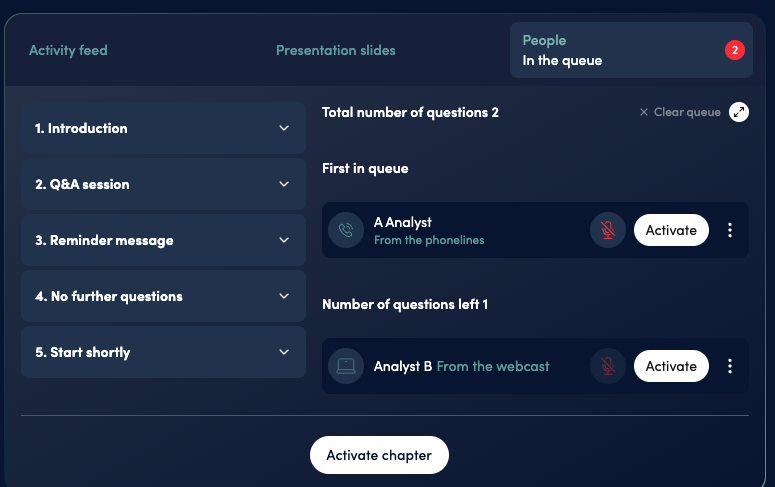
Get on camera
Selected audience members join with their own camera and mic, live, from the browser.
How getting on camera works →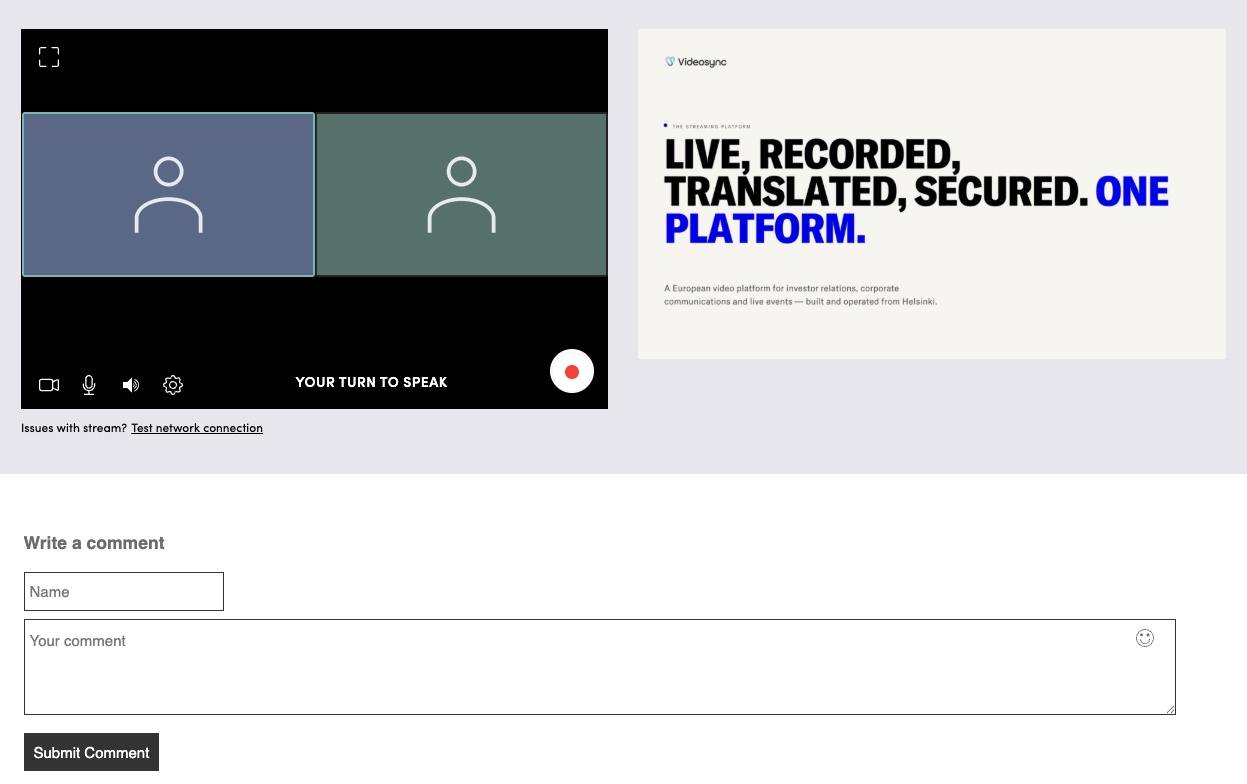
Moderate in real time
Hosts control who’s on, who’s muted, and what surfaces, live, not in post.
How moderation works →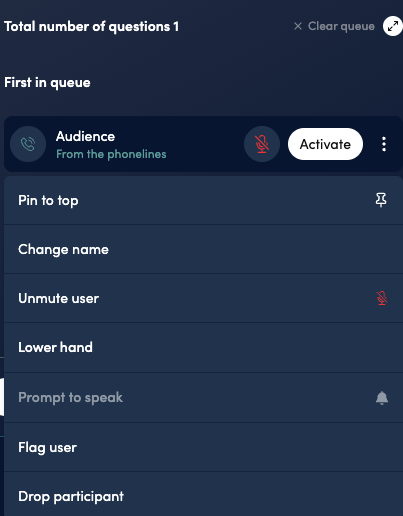
React, ask, vote, instantly
Q&A, live polls, chat, and reactions run without the lag that turns "live" into "almost live."
Explore Q&A →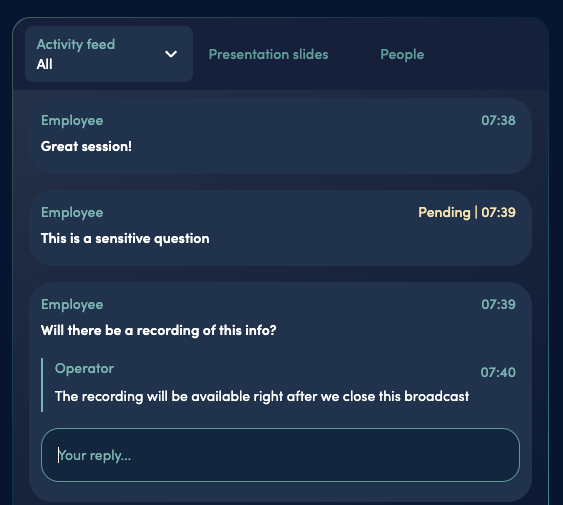
Explore Q&A · Explore Polls & Voting · Explore Live Chat · Explore Reactions
The full participation scale, in one place. Reacting, asking, voting, raising a hand and appearing on camera are steps on a scale rather than a single feature, and the host decides how far along it any given event goes. See how audience interactivity works →
Chat isn't a free-for-all: moderators see every message before it's public, can reply inline, and hold anything sensitive back with a pending queue.
Need smaller conversations within the larger event? Breakout rooms split the audience into smaller groups for focused discussion, then bring everyone back to the main stage when it's time to reconvene.
All of this happens inside one adaptive player: works in every browser with no plugins, and includes picture-in-picture, chapters, and playback speed control for anyone catching up later. Explore the Player →
A quick technical note: not every stream needs to be this interactive. Videosync also runs a rock-solid Live Streaming path for large webinars. Engage Audience runs on Web Studio, our real-time engine, as explained above.
Two ways to go live
Do it yourself
Run the broadcast entirely yourself, on your own schedule, with our platform underneath.
Bring in an operator
An operator runs the session end-to-end, so the host can focus on the content, not the console.
Neither is a compromise: it's the same platform either way, just a choice of who's driving.
Recordings, ready to edit, right away
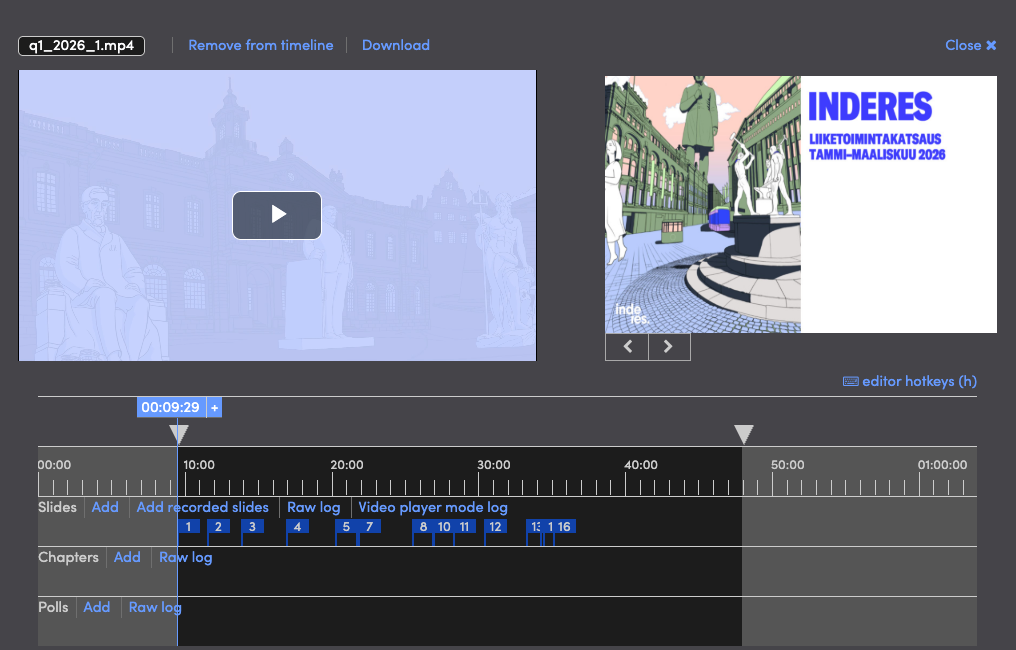
The recording is there the second the event stops: viewers can hit replay before they've left. No exporting, no render queue, and no separate software when something still needs fixing before you publish.
Trim and cut
Clean up the start and end, or remove a section from the middle that didn’t go to plan.
Fix and fill in
Re-record a piece, or drop in a finished clip to replace it.
Update the slides
Swap a slide after the fact, even if the wrong one made it onto the screen live.
Add chapters
Organize the recording so viewers can jump straight to the part they need.
Premiere it later
Turn a finished recording into a scheduled premiere, played back with live chat, reactions, and Q&A running alongside it, so it feels live even when it isn’t.
Your events become a library, not a folder of files
Most organizations end up storing video the way they store documents: files behind a login, findable only if you already know what you're looking for. Videosync gives every recording a home instead: a branded on-demand library where each event arrives complete, with its chapters, transcript, captions and translated audio already attached, searchable by what was actually said, and governed by the same access controls and analytics as the live event. Same platform, same look, no separate archive tool to buy and maintain.
For public sector and other regulated organizations, this isn't just convenient: it's often required. Sessions need to stay findable, retained, and publicly accessible for as long as policy demands, without a separate archive project to maintain.
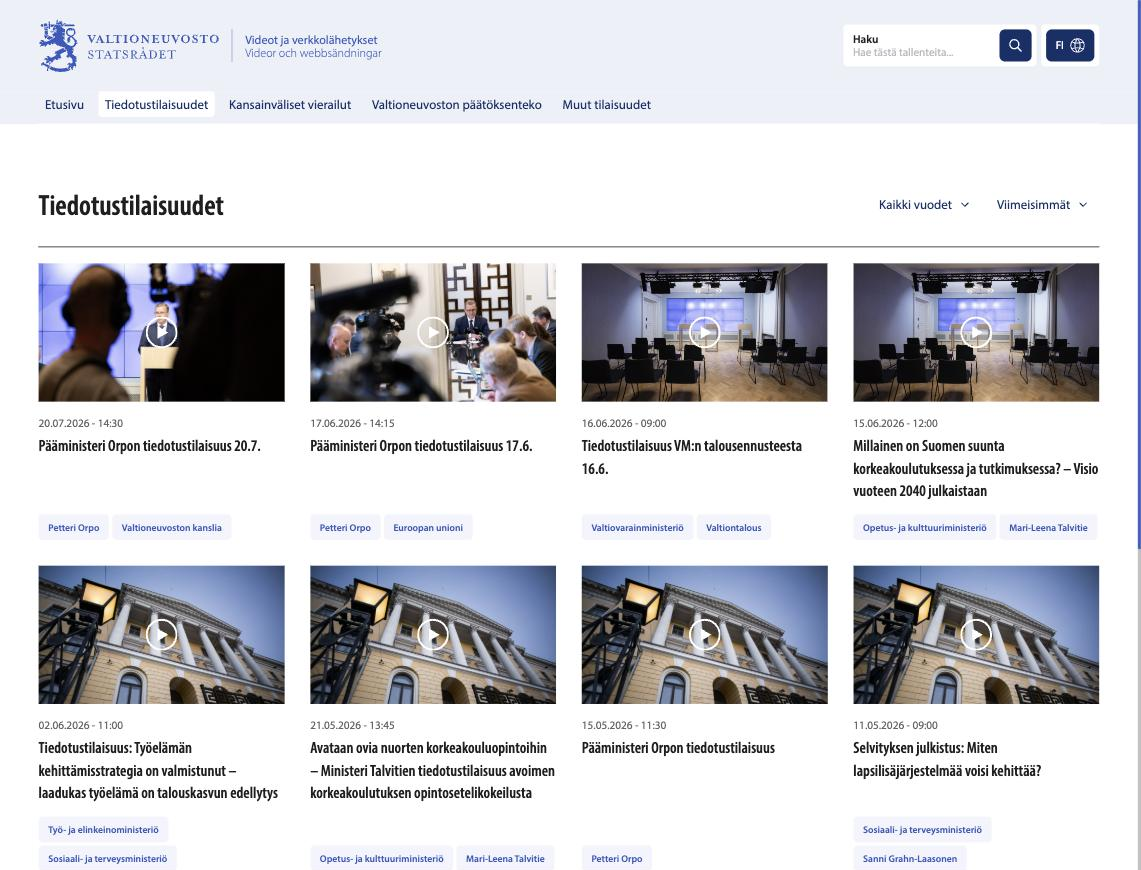
One content, many doors. The same recording can reach people through more than one front door: your branded library page, an embed inside your own website, or a full standalone event page, and it stays at one persistent URL through all of them. That URL is the link you already shared for the live event, so there's nothing new to send out and nothing for latecomers to hunt for. (Embedding and branded event pages: see Brand & Manage.)
All editing happens in the browser. Explore Recording → · Explore On-Demand Library →
Built to include everyone in the room
Language and hearing shouldn't decide who gets to follow along, live or on replay.
Live captions
AI-generated captions appear in real time, with translation into other languages, live or in the recording afterward.
Explore Live Captions →Live dubbing
AI-generated spoken translation, so international audiences can listen in their own language, whether they’re watching live or catching up later.
Explore Live Dubbing →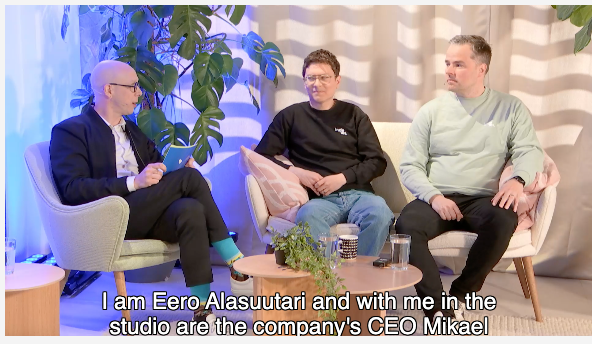
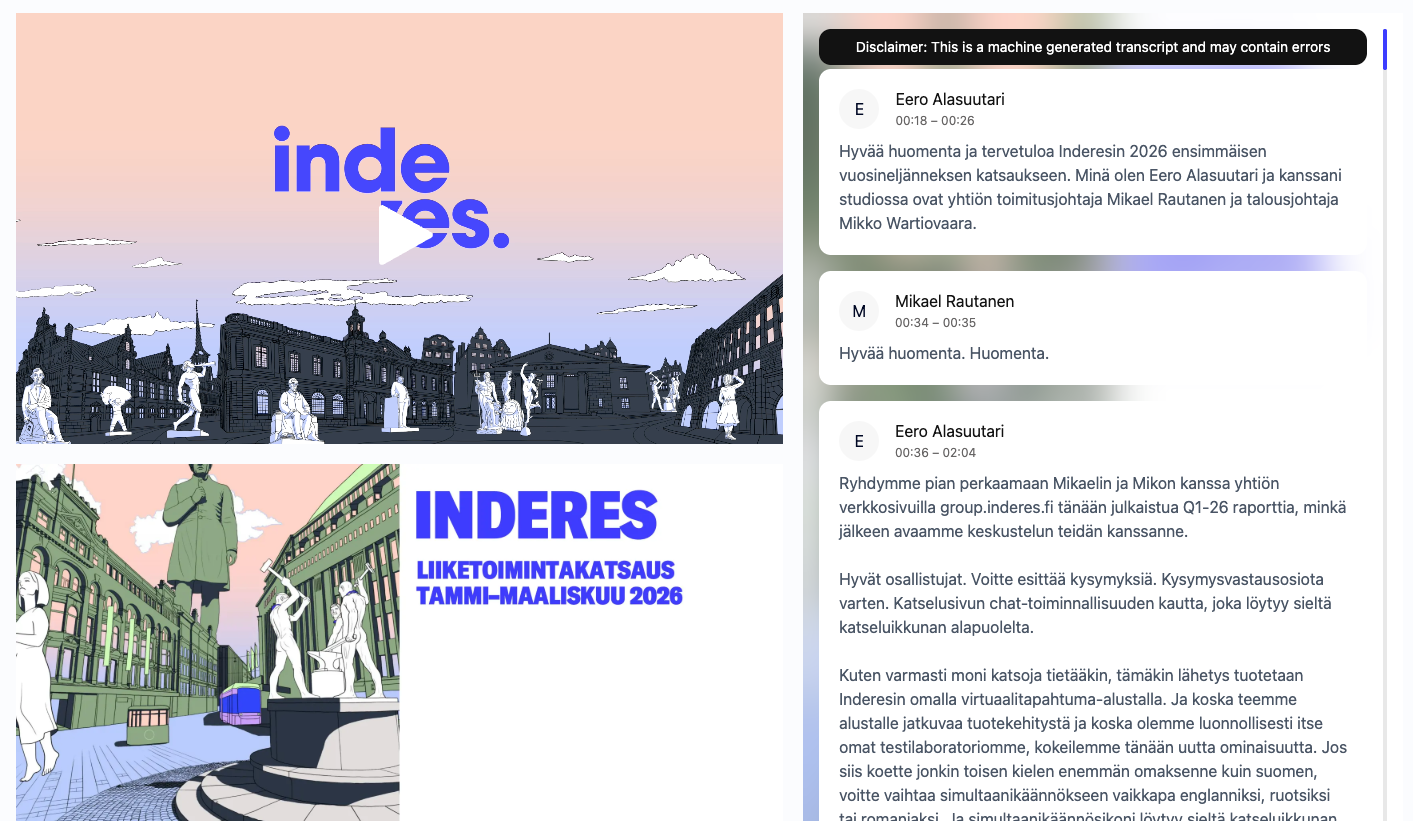
Full transcripts. Beyond captions, Videosync generates a complete written transcript of the event: searchable and useful long after the stream ends. Explore Accessibility →
Meets WCAG 2.1 AA, Section 508, and EN 301 549 accessibility standards.
Make it look like yours, run it your way
Many event management tools treat live interactivity as a separate, bolted-on integration. Videosync doesn't need to: registration, branding, analytics, and live interactivity all run on the same platform, natively.
Fully customizable event pages
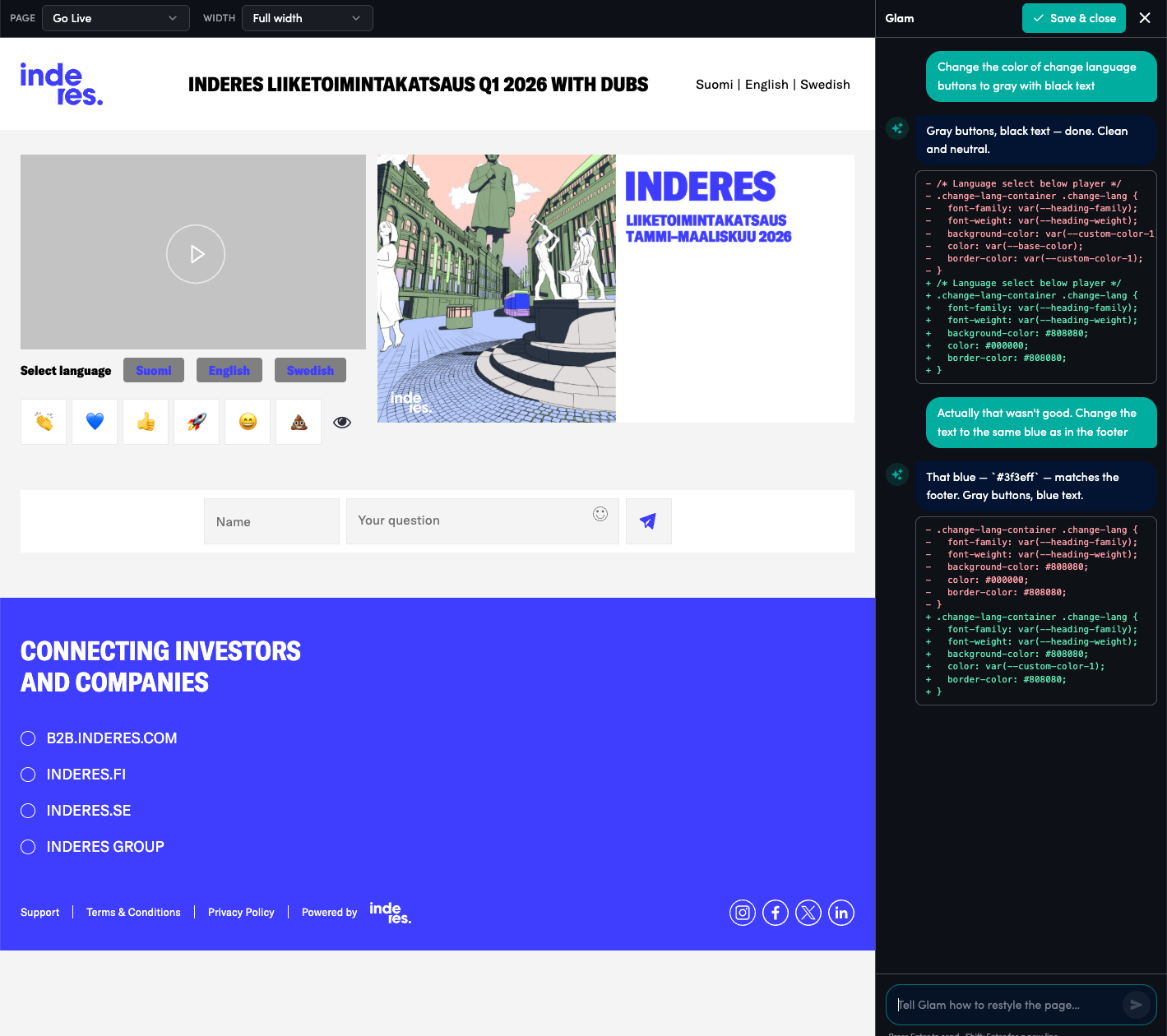
Your logo, colors, and layout on every event, built manually, or generated instantly with Glam, our AI event creator. White-label options and your own custom domain are available too, so the Videosync name doesn’t have to appear at all.
Registration, your way
Custom sign-up pages with exactly the fields you need: confirmation emails, calendar invites, and reminders sent automatically.
Turn viewers into leads
A built-in "Contact me" button lets interested viewers reach out directly, without leaving the event.
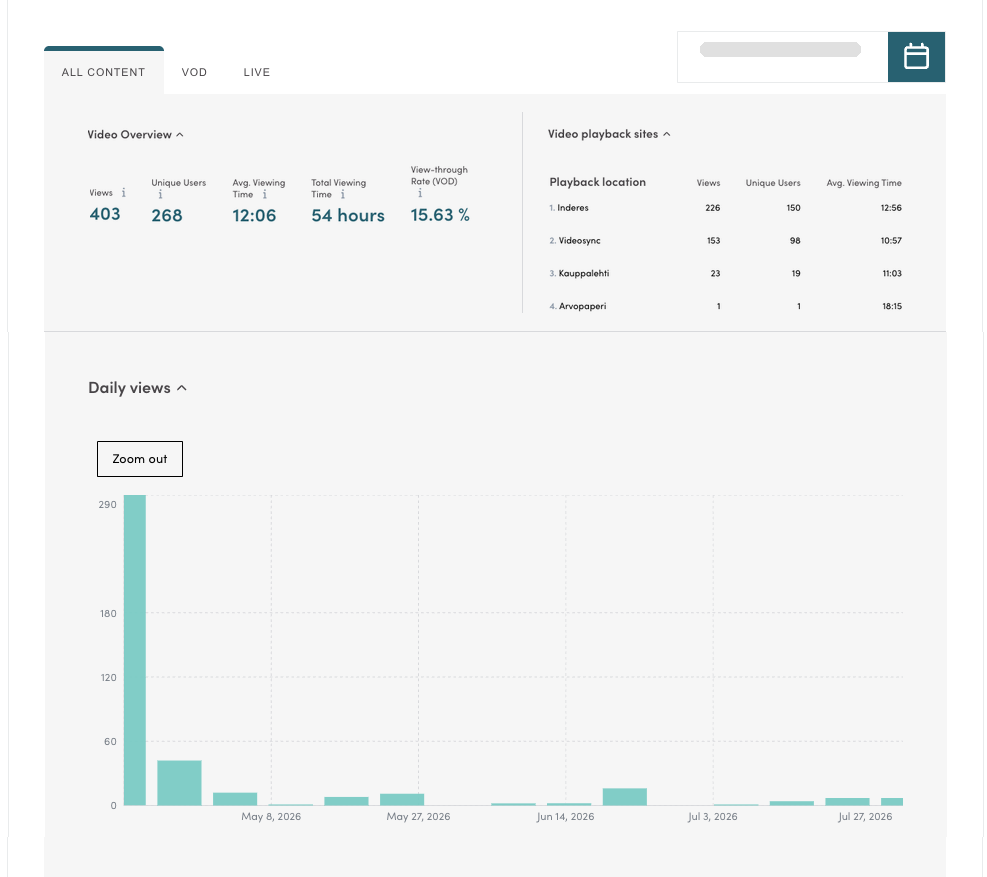
Know who showed up, and how
Analytics on who watched, how long, and what they engaged with.
Embed it anywhere
Drop the player directly into your own website: no separate visit to a Videosync page required. Live or on demand, it’s the same content behind the same persistent link, just another door into it.
Connects to what you already use
Integrations with HubSpot, Salesforce, Zapier, and more, so event data doesn’t live in a silo.
Enterprise-grade security, built in
Videosync is ISO 27001 certified and GDPR compliant, with all data hosted in the EU. Sign in with Microsoft Entra Single Sign-On, and get the documentation your IT team needs: DPAs, pen test summaries, and security questionnaires, available on request.
Explore Security & Compliance →Videosync can also bridge traditional phone conferencing into the same event: dial-in participants can raise a hand and ask questions the same way browser participants can, with clear reporting on how each person joined. Learn more for investor calls →
See real interactivity in action
Book a personalized demo and see how Web Studio changes what a live audience can do, not just watch.