No software to install. Stream directly from your browser with professional-quality output.
Bring remote speakers together, run structured audience interaction, and go live. Nobody has to download anything to do it.
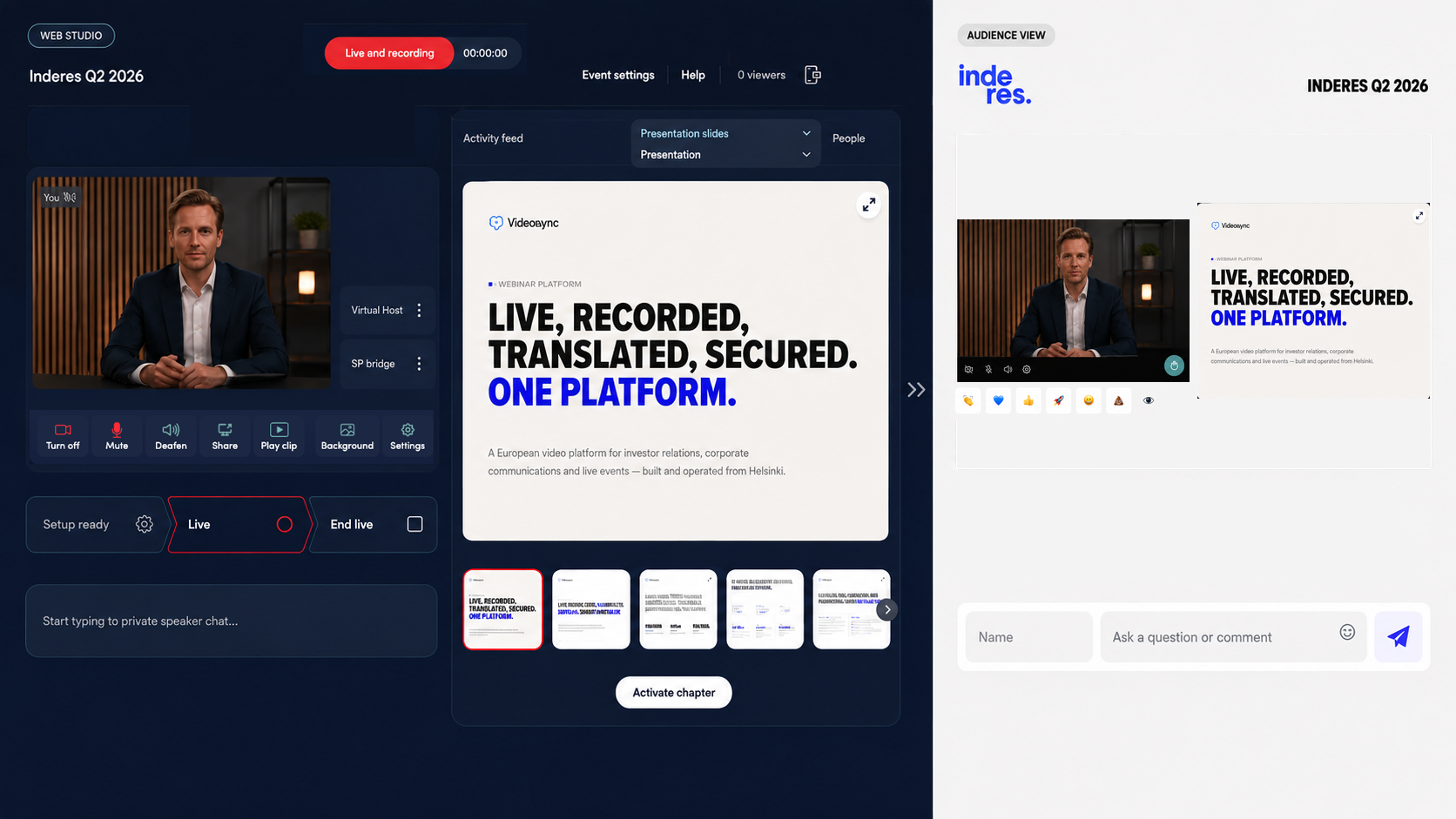
Runs where your browser already is
This is Web Studio: Videosync's browser-based, interactive engine. Open a link, allow camera and microphone access, and you're in. It runs on WebRTC, the same real-time transport built into every modern browser, which is what makes hand-raising, audience cameras, and live moderation feel like a conversation instead of a delayed broadcast. Works in Chrome, Edge, Safari, Firefox, and Opera, on desktop, tablet, or phone, with nothing to install.
Not every stream needs this
A large town hall that just needs to reach everyone reliably is better served by Live Streaming, our broadcast delivery path fed via RTMP from professional production software. Web Studio is for the moment real interactivity has to run alongside a produced picture, or instead of one.
Compare the two engines →Production companies can join too
A produced feed can join Web Studio as a standard camera source, so a professional crew keeps their picture while the interactive layer (hand-raising, panel, moderation) runs on top of it.
More for production teams and agencies →Bring your panel together, wherever they are
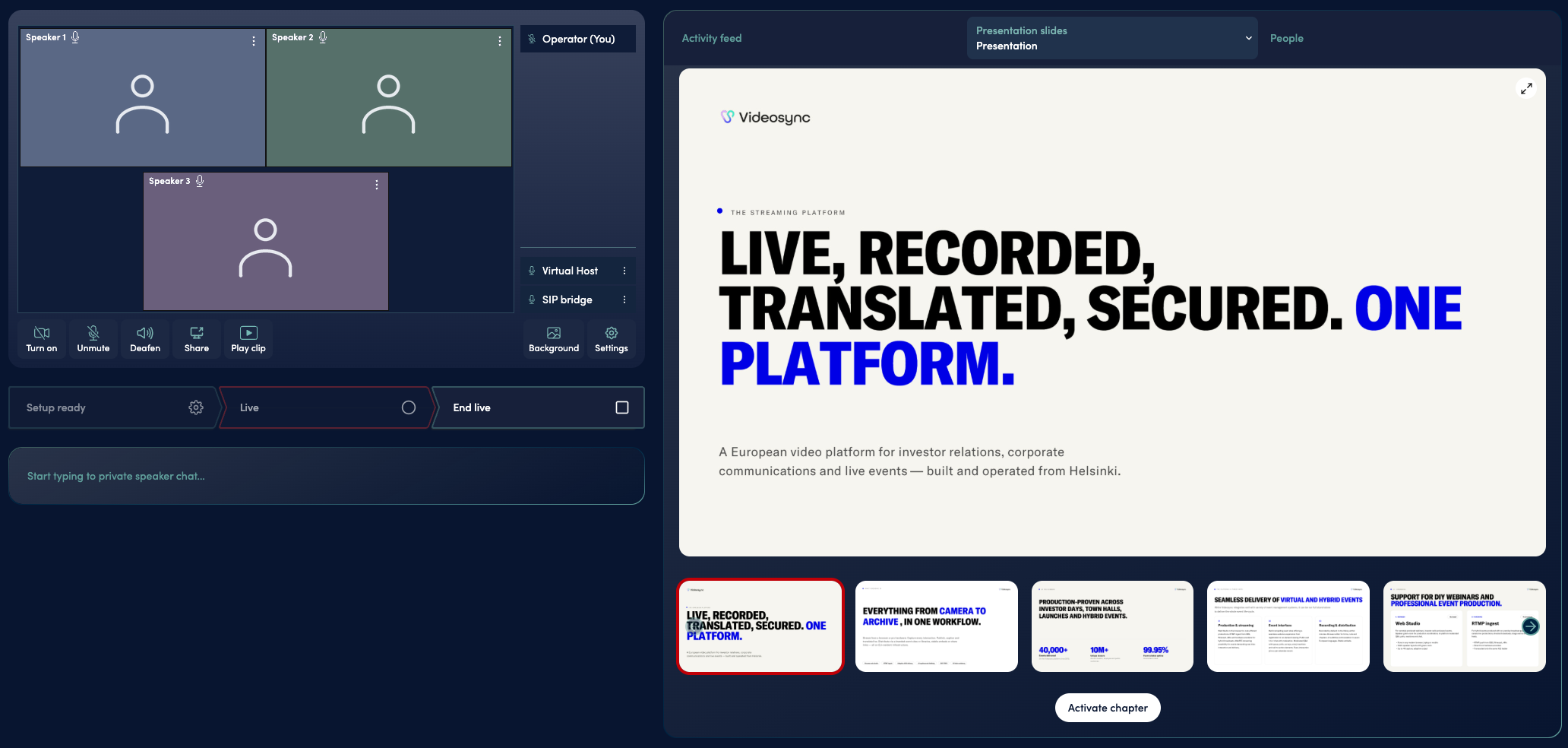
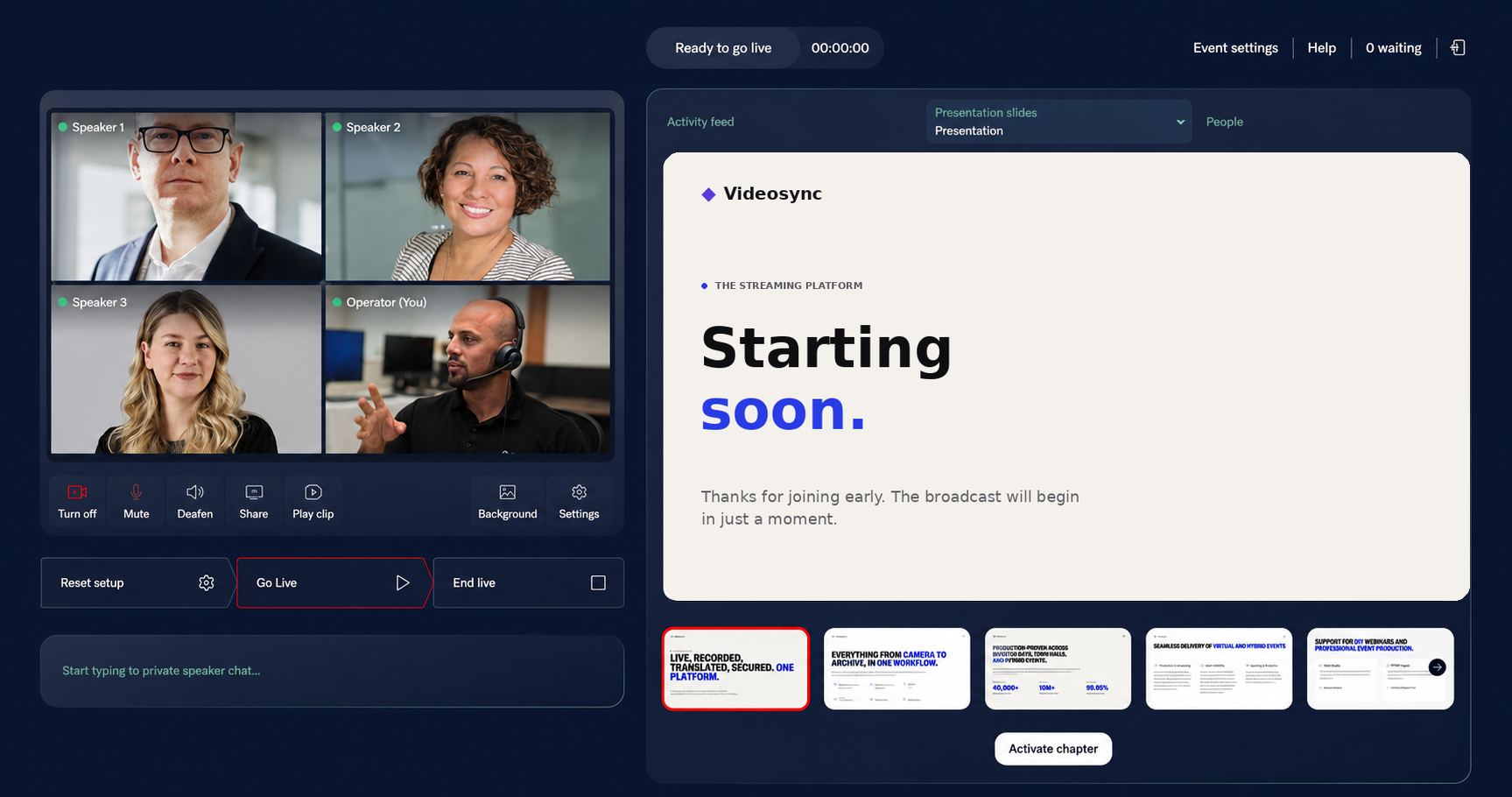
Presenters don't have to share a room, or even a country. Each speaker joins Web Studio through their own speaker link, straight from a browser, and appears together on screen as if they were side by side.
Presentations live on the platform too
No separate screen-share, no handing off a laptop mid-event. Slides live directly in Web Studio, and any speaker can advance them with shared controls: whoever's talking can drive.
Look the part
Speakers can set a virtual background individually, or one presenter can upload a background for the whole panel at once, so everyone's picture matches without asking each person to sort out their own room.

Bring in a clip
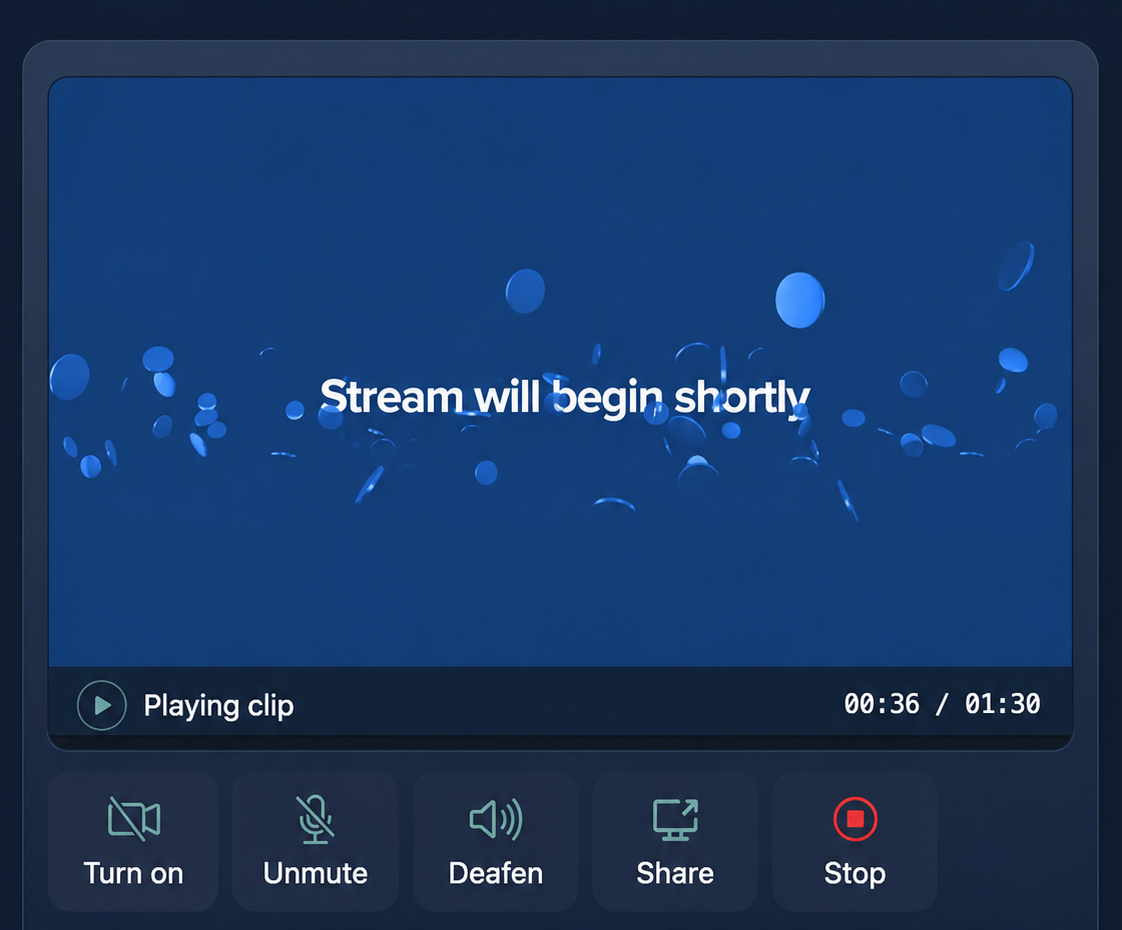
Play a pre-recorded video clip mid-event, once or on loop, while speakers stay visible on screen alongside it. Useful for sponsor reels, product demos, or a recorded segment that fits into an otherwise live event.
You don't need to choose. Web Studio runs both a produced panel and a live presentation in the same room, at the same time.
A room your audience can actually join
Web Studio is also what powers real-time audience interaction: hand-raising, audience cameras, live moderation, not just a stream people watch. That's a big enough story to tell on its own.
See how audience interactivity works →Whoever's hosting stays in control, live and not in post
Every speaker and every question that comes in can be managed in real time, without interrupting the broadcast.
Control the panel
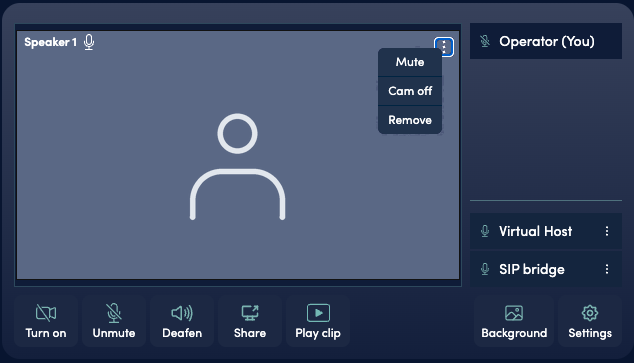
Mute a speaker, turn off a camera, or remove someone from the stage, all from the same view, without leaving Web Studio.
Run the queue your way
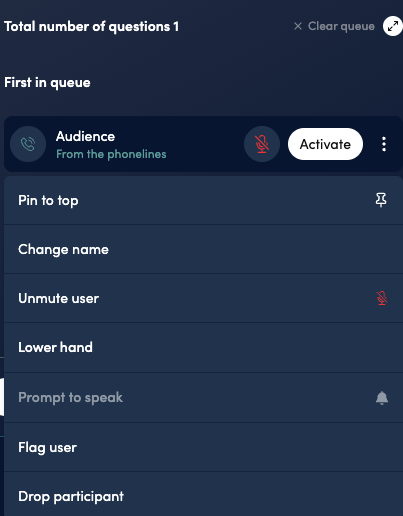
Move someone to the front, pin a question so it doesn't get buried, flag a participant, lower a hand, drop someone from the line entirely, or fix a name that came in wrong.
Hand off moderation without handing off control
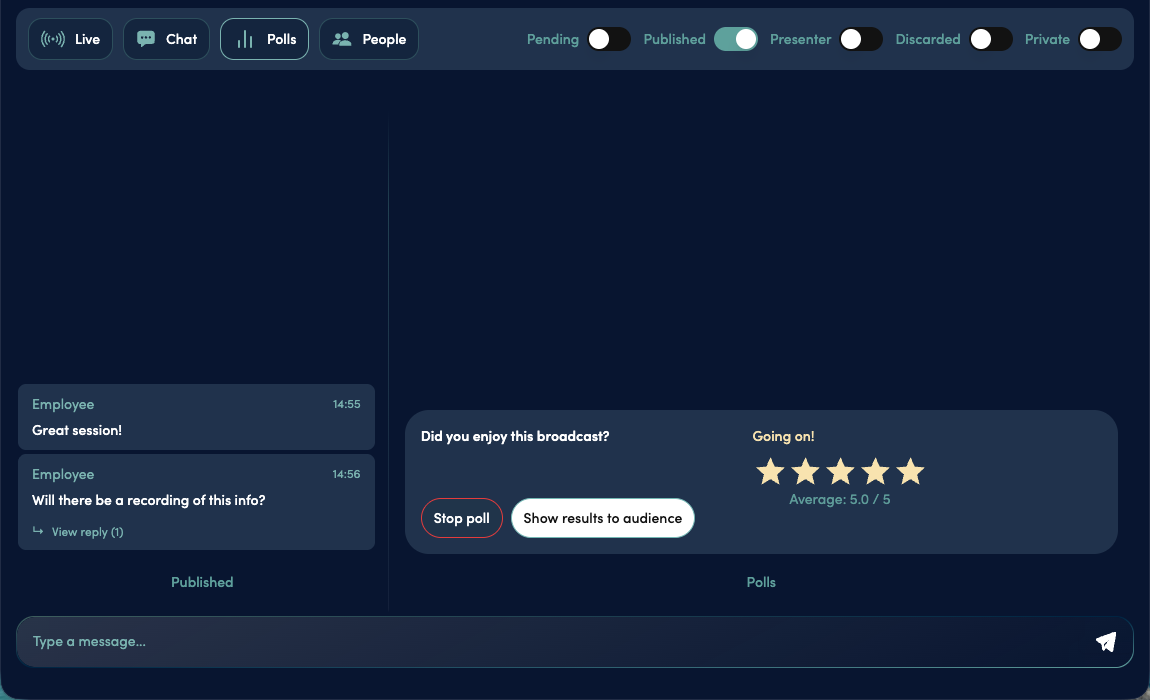
Give someone a separate, moderation-only link to screen questions before they ever reach the speakers, without giving them access to the rest of the admin controls.
The phone line joins the same room
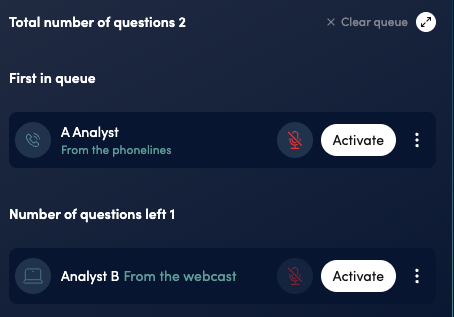
Not every attendee can join from a browser, and not everyone wants to. Anyone dialling in by phone raises a hand and gets into the same queue as everyone joining from their browser, moderated from one place rather than two separate systems.
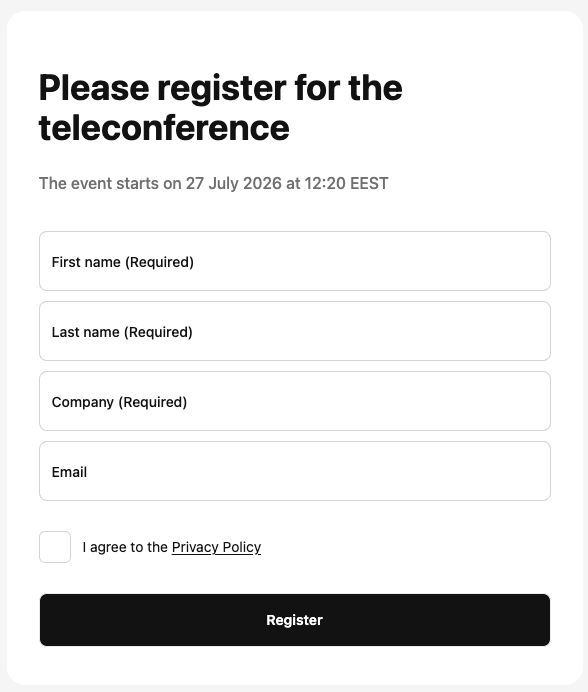
Dial-in participants register separately with their name and company before joining, so every question can still be attributed to a specific person and firm, even over the phone line. This matters most where dialling in is still the norm: investor and analyst calls, for instance. See how this works for investor events →
A place to get ready before you're on
Speakers join Web Studio before the event goes live and can already see and hear each other: get comfortable, run through the plan, check in, all without the audience present. Nothing goes out until the host presses go live.
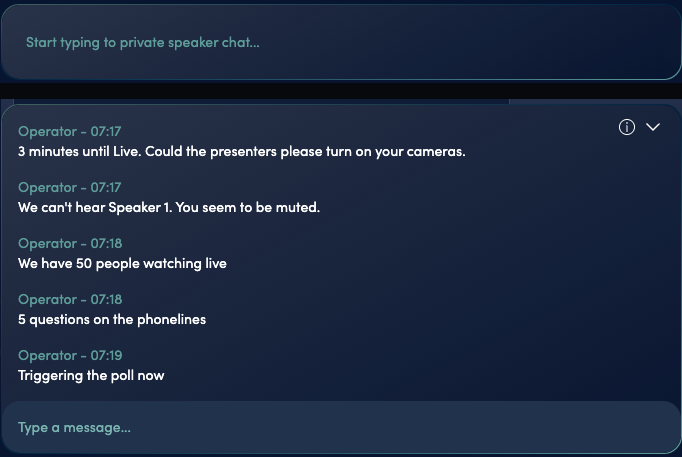
Backstage chat keeps that same private line open once the event is live: a text channel between speakers and the host that the audience never sees. Flag a timing issue, pass along a note, or coordinate the next handoff, without saying a word on air.
Technical questions
Is Web Studio the same as Zoom or Teams?
No. Web Studio works well for internal communications too: town halls, all-hands, leadership broadcasts. But it's built for structured, large-scale audience interaction (hand-raising, moderated Q&A, multi-location panels), not as a replacement for everyday team meetings.
Can a professional production company use Videosync?
Yes. A production feed can go into either engine: Live Streaming via RTMP, or Web Studio as a standard camera source when interactivity needs to run alongside the produced picture. Production teams and agencies can find more on our Agencies page.
What's actually under the hood?
Web Studio runs on WebRTC, the real-time transport built into every modern browser, which is what makes hand-raising, audience cameras, and live moderation work as a conversation rather than a delayed broadcast. It runs in Chrome, Edge, Safari, Firefox, and Opera, on desktop, tablet, or mobile. No plugins, no downloads, on either end.
What if a speaker's connection drops?
They rejoin Web Studio from the same link themselves. If they can't get back online quickly, the host can call them directly by phone to talk them through it, without the audience noticing a gap.
See what your audience can do when the room is actually theirs
Book a personalized demo and see Web Studio in action: panel, moderation, and everything in between.